How Looker, Tableau, and Power BI Are Revolutionizing Data Analytics in 2026
Explore how Looker, Tableau, and Power BI are transforming data analytics in 2026 with market research, real-world case studies, and expert comparisons to choose the right BI tool.
 Swagatam Sinha
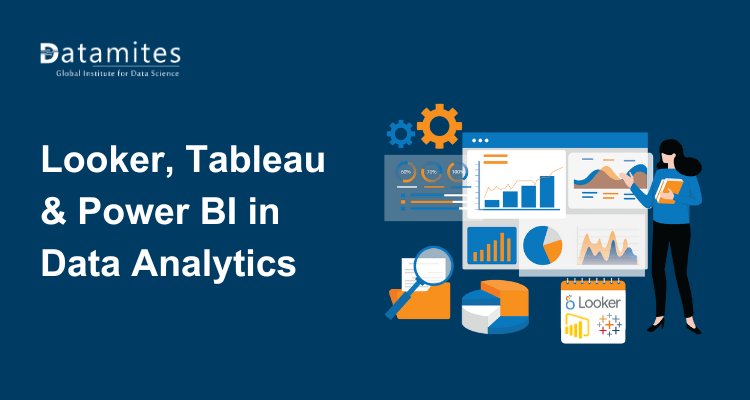
In today’s competitive business landscape, making informed decisions faster and with greater confidence is not just an advantage it’s a necessity. Looker, Tableau, and Power BI have emerged as three of the most influential forces reshaping how organizations harness the power of data. From transforming raw datasets into actionable insights to streamlining decision‑making at every level, these platforms have redefined what business intelligence can deliver.
This blog explores the state of the data analytics market, compares key features under the theme looker vs tableau vs power bi, discusses looker studio vs power bi, highlights the role of looker business intelligence, and provides real case studies showing the impact of these platforms in real world settings.
Why Business Intelligence Tools Are Essential
Business intelligence tools have evolved beyond simple reporting. Modern organizations require fast, accurate, and actionable insights from diverse data sources. BI platforms consolidate data from multiple systems, visualize it in interactive dashboards, and enable real-time decision-making.
Looker business intelligence, for example, allows organizations to leverage SQL-based modeling to uncover patterns hidden in raw data. Tableau provides visually compelling dashboards that make complex datasets easy to understand, while Power BI integrates seamlessly with the Microsoft ecosystem, offering powerful analytics for businesses familiar with Excel and Office tools.
These tools not only improve efficiency but also empower business leaders to make data-driven decisions with confidence. BI tools are increasingly embedded into workflows and applications (ERP, CRM, collaborative apps), enhancing the reach and impact of analytics across business units.
Banking, Financial Services and Insurance (BFSI) represent a near‑30% share of BI usage, relying on analytics for fraud detection, risk modelling, and personalized services. Healthcare and life sciences deploy BI for patient analytics and operational efficiency; retail uses BI for inventory and sales forecasting; and telecom leverages analytics to optimize networks and customer experience. (Source: Emergen Research)
Refer to these articles:
- How to Learn SQL for Data Analysis
- Data Engineer vs Analytics Engineer vs Data Analyst
- Edge Analytics Explained: Processing Data Where It Matters Most
What Makes a Great Analytics Platform? Key Evaluation Criteria
Before diving into the looker vs tableau vs power bi comparison, it’s important to understand what enterprises seek in modern analytics software:
- Unified data integration: Ability to connect to disparate data sources databases, data lakes, cloud services, APIs.
- Scalability: Support for growing datasets and expanding user bases without performance sacrifice.
- Visualization and reporting: Interactive dashboards, drill‑downs, and user‑friendly interfaces.
- Governance and security: Role‑based access, data lineage, and compliance features.
- Collaboration: Shareable insights that enhance cross‑team alignment.
- Cost‑effectiveness: Value relative to licensing, deployment, and maintenance.
With these criteria in mind, we’ll explore each platform’s unique strengths.
Looker Business Intelligence: Modern, Model Driven Analytics
Looker has gained attention for its modern, cloud‑native approach to analytics. Built on a flexible modeling language (LookML), Looker emphasizes a semantic layer a centralized definition of metrics and business logic that ensures consistent calculations across reports and dashboards.
Key Attributes of Looker:
- A semantic modeling layer that standardizes metrics and avoids duplicated logic across teams.
- Native cloud integration, especially with Google Cloud Platform services.
- Strong capabilities for embedded analytics and operational workflows.
- Designed for both analysts and developers seeking governed self‑service reporting.
In practice, looker business intelligence helps organizations connect data teams with business units by enforcing single definitions of KPIs and reducing time spent on reconciling conflicting reports.
Real‑World Example: Looker in Action
A global e‑commerce company adopted Looker to unify analytics across marketing, supply chain, and finance. Before Looker, each department maintained separate dashboards with inconsistent definitions of “customer acquisition cost” and “lifetime value.” After implementing Looker’s semantic model, dashboards drew from a shared logic layer, which reduced reporting discrepancies and accelerated strategic decisions. Analysts reported a 40% reduction in time spent reconciling data definitions across departments.
Tableau: Visualization and Storytelling at Scale
Tableau has long been synonymous with high‑impact visual analytics. Its intuitive drag‑and‑drop interface empowers business users to explore data visually without deep technical expertise. Tableau’s visual storytelling capabilities make it a preferred choice where data exploration and presentation matter most.
Distinct Advantages of Tableau:
- Best‑in‑class data visualization tools with interactive dashboards.
- Broad support for on‑premises and cloud deployments.
- Rich ecosystem and active user community.
- Strong integration with data sources such as SQL databases, Hadoop, and cloud warehouses.
Tableau’s design philosophy centers on exploration users can iterate rapidly on dashboards to uncover insights that might otherwise remain hidden in spreadsheets or static reports.
Tableau Case Study: Analytics for Better Patient Care
A major healthcare provider implemented Tableau to analyze patient outcomes, operational performance, and resource utilization. The interactive dashboards allowed clinical leaders to identify bottlenecks in patient flow and correlate staffing levels with quality metrics. As a result, the organization saw improved operational efficiency and enhanced patient satisfaction scores, with decision cycles reduced from weeks to hours.
Refer to these articles:
- Augmented Analytics Explained: How AI is Reshaping the Data Analyst Role
- Why Data Analysts Are Choosing DuckDB for Modern Analytics
- How GenAI Is Influencing Data Analyst Productivity and Accuracy
Power BI: Integrated Analytics for the Microsoft Ecosystem
Power BI is Microsoft’s flagship BI platform, tightly integrated with other Microsoft products such as Azure, SQL Server, and Microsoft 365. Its integration, affordability, and scalability have made it an attractive choice for organizations already invested in the Microsoft stack.
Power BI Strengths:
- Seamless integration with Azure Synapse, Excel, Teams, and SharePoint.
- Strong support for real‑time dashboards and streaming analytics.
- Competitive pricing and ease of deployment for organizations of all sizes.
- AI‑powered analytics features that enhance insights with natural language queries.
Power BI’s combination of enterprise features and broad accessibility contributes to its position as one of the most widely deployed BI tools globally.
Case in Point: Power BI Driving Operational Insight
A global logistics firm implemented Power BI to centralize key performance indicators across its distribution network. By integrating data from IoT sensors, warehouses, and delivery systems, dashboards provided real‑time visibility into equipment performance and shipment delays. The company reduced average delivery delays by 22% and lowered operational costs, attributing much of the improvement to fast, data‑driven decision cycles powered by Power BI.
A broader market research forecast estimates the BI and analytics market could expand from around USD 40.7 billion in 2024 to USD 87.86 billion by 2033, at an 8.93 % CAGR from 2025 to 2033. (Source: Business Research Insights)
Looker vs Tableau vs Power BI: Feature Comparison
Selecting the right BI tool largely depends on your organization’s goals, data environment, and business requirements. Here is a comparison of Looker, Tableau, and Power BI across key features:
| Feature | Looker | Tableau | Power BI |
| Data Modeling | SQL-based LookML | Visual-based, limited modeling | Power Query, DAX |
| Visualization | Interactive dashboards | Highly visual and interactive | Good, with customizable dashboards |
| Integration | Data warehouses & cloud tools | Many connectors available | Deep Microsoft ecosystem integration |
| Ease of Use | Moderate, technical knowledge | Beginner-friendly | Beginner-friendly |
| Pricing | Subscription-based, enterprise-focused | Subscription & one-time options | Affordable, subscription-based |
| Scalability | High (cloud-native) | Moderate | High, scalable for enterprises |
This comparison highlights the unique strengths of each platform. Organizations must weigh these factors based on their data sources, technical expertise, and reporting needs.
Supporting Industry Statistics
Recent surveys reveal that:
- Over 70% of enterprises plan to increase analytics spending in the next two years.
- Organizations using modern BI tools report up to a 3X increase in data adoption across departments.
- Companies that invest in data governance and semantic modeling experience a 25% reduction in reporting discrepancies.
These statistics underscore the strategic value of adopting advanced analytics platforms such as Looker, Tableau, and Power BI.
Combined, Power BI, Tableau, Qlik, and Looker hold a large portion of the BI market approximately 74 % of total BI platform share as of 2025 confirming dominance by the leading vendors.
Read to these articles:
- Is the Data Analyst Market Overcrowded? Realistic Job Outlook for 2026
- How to Become a Data Analyst With No Experience
- Data Science Vs Data Analytics
Looker Studio vs Power BI: How to Choose the Right Analytics Platform
For businesses deciding between Looker Studio vs Power BI, the choice often comes down to the level of technical expertise, cloud infrastructure, and reporting requirements.
- Looker Studio is ideal for organizations that need centralized governance, consistent metrics, and advanced analytics across multiple teams. Its cloud-native architecture makes it scalable and suitable for enterprises with complex data environments.
- Power BI, on the other hand, is more accessible for businesses already using Microsoft tools. Its affordability and ease of use make it a preferred choice for small to medium-sized organizations seeking quick deployment and integration with existing systems.
Ultimately, the decision should align with your organization’s analytics strategy, team capabilities, and long-term scalability requirements.
Independent studies show Microsoft Power BI capturing the largest share among analytics platforms with around 21 % market share, followed by Tableau’s ~17 % share, reflecting strong enterprise adoption. (Source: Global Growth Insights)
Practical Guidance for Selecting the Right BI Tool
Selecting the right BI platform requires careful alignment with business needs:
- Assess data maturity: Organizations with robust data infrastructure may benefit more from the structured semantic modeling of Looker, while teams prioritizing visualization speed may choose Tableau.
- Evaluate ecosystem alignment: Companies using Microsoft technologies often gain added value from Power BI’s seamless integrations.
- Estimate long‑term cost: Consider not only licensing but also training, deployment, and governance overhead.
- Analyze use cases: Determine whether dashboards are primarily operational, exploratory, or executive‑focused.
Looker, Tableau, and Power BI have fundamentally changed the landscape of data analytics. From powerful visualizations and advanced modeling to seamless integration with enterprise systems, these tools empower organizations to unlock the full potential of their data.
When choosing between Looker vs Tableau vs Power BI, businesses must consider their unique requirements, technical expertise, and strategic objectives. Meanwhile, understanding the differences in Looker Studio vs Power BI can help organizations select the platform that aligns best with their long-term growth and analytics goals.
Investing in the right business intelligence tool is no longer just an option it’s a strategic imperative for organizations seeking to thrive in the era of data-driven decision-making.
DataMites Institute is a globally recognized training provider specializing in data science, analytics, and AI education. With industry-aligned curriculum, real-world projects, and expert mentorship, DataMites focuses on building practical, job-ready skills for aspiring professionals and working experts.
For learners looking to build a strong analytics career, the Data Analyst course in Bangalore at DataMites offers hands-on training, live projects, and career support designed to meet current industry demands.