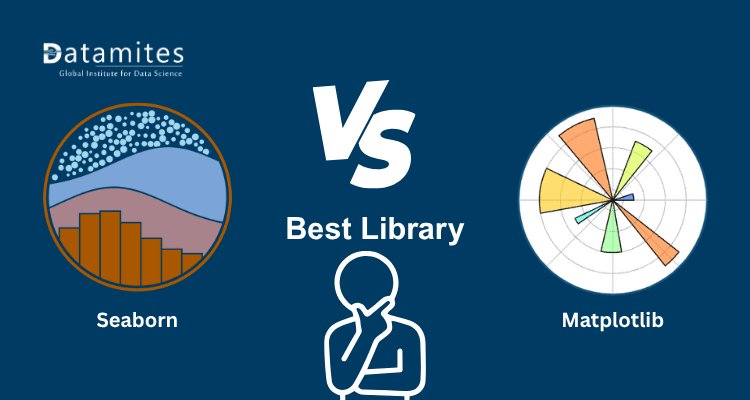
Seaborn vs Matplotlib: Which Visualization Library Should You Choose in 2026?
Discover the ultimate comparison between Seaborn vs Matplotlib in 2026. Learn which Python visualization library is best for data analysis, dashboards, and statistical plots with real-life examples.
 Swagatam Sinha
Data visualization is no longer just about charts. In 2026, it plays a major role in decision-making, storytelling, and business strategy. Whether you are a data analyst, student, or machine learning engineer, choosing the right visualization tool can directly impact how effectively you communicate insights.
Two names dominate the Python ecosystem: Seaborn and Matplotlib. While both are powerful, they serve different purposes and are often misunderstood.
This guide breaks everything down in a simple and practical way so you can confidently choose the right library.
Why Data Visualization Matters More Than Ever in 2026
Before comparing tools, it's important to understand the bigger picture.
Businesses today rely heavily on data dashboards, reports, and analytics tools. Visualization helps transform raw numbers into meaningful insights that people can understand quickly.
According to a 2026 industry analysis:
- Over 78% of data professionals use Python-based visualization tools daily
- Visual storytelling improves decision-making speed by up to 60%
- Data visualization tools are now a core part of AI and business intelligence workflows
This is why choosing between Seaborn and Matplotlib is not just technical it’s strategic.
According to a report by Fortune Business Insights, the global data visualization market size was valued at USD 8.85 billion in 2023 and is projected to grow at a CAGR of over 11% from 2024 to 2030.
Refer to these articles:
- AI Agents for Data Analysis: Tools and Use Cases
- Top AI Tools for Data Analysts in 2026
- SQL vs Python for Data Analytics in 2026: Which Skill Should You Learn First?
What is Matplotlib?
Matplotlib is one of the most widely used data visualization libraries in Python. Introduced in 2002, it has become the backbone of Python plotting and is still actively used by data scientists, analysts, and researchers worldwide.
Matplotlib provides low-level control, which means users can customize almost every element of a chart from axis labels to colors and layouts making it highly suitable for professional-grade visualizations.
Key Features of Matplotlib
- Full control over chart elements
- Supports multiple plot types such as line, bar, scatter, and histogram
- Strong compatibility with NumPy and Pandas
- Highly customizable for advanced users
- Ideal for publication-quality charts
Real-Life Example
Consider a financial analyst preparing a company report. The requirements may include:
- Precise axis formatting
- Custom color schemes aligned with brand guidelines
- Overlaying multiple datasets in one chart
Matplotlib allows detailed customization, making it ideal for financial reporting, research papers, and dashboards requiring precision.
What is Seaborn?
Seaborn is a high-level Python data visualization library built on top of Matplotlib. It simplifies the process of creating visually appealing and statistically informative charts. Seaborn is particularly useful for exploratory data analysis (EDA) because it offers built-in themes and advanced statistical plotting functions.
Key Features of Seaborn
- Attractive and modern default styles
- Simple and concise syntax
- Built-in statistical visualizations (heatmaps, regression plots, distribution plots)
- Seamless integration with Pandas DataFrames
- Reduces the need for complex coding
Real-Life Example
Imagine a data analyst studying customer behavior. The analysis may require:
- Correlation heatmaps
- Data distribution visualization
- Regression analysis
Seaborn enables the creation of these visualizations with minimal code, making it perfect for quick insights and storytelling with data.
Key Difference Between Seaborn and Matplotlib
Understanding the difference between Seaborn vs Matplotlib is essential for anyone working in data science, data analytics, or Python data visualization. Both libraries are widely used, but they serve different purposes depending on your project needs.
| Feature | Matplotlib | Seaborn |
| Ease of Use | Moderate (requires more code) | Easy (less code, beginner-friendly) |
| Customization | Very high (full control over plots) | Limited compared to Matplotlib |
| Visual Appeal | Basic by default | Attractive and modern by default |
| Statistical Plots | Limited support | Advanced statistical visualizations |
| Learning Curve | Steeper | Beginner-friendly |
Seaborn is built on top of Matplotlib, meaning every Seaborn plot ultimately uses Matplotlib as its backend.
Matplotlib remains dominant with over 100 million monthly downloads on PyPI, proving its strong adoption in data science and research ecosystems.
Matplotlib vs Seaborn: Which One Should You Choose?
Choosing between Matplotlib and Seaborn is not about which library is better it depends on your specific data visualization needs, workflow, and level of control required.
Choose Matplotlib If:
- You need complete control over plot elements
- You are building custom dashboards or reports
- You want unique, highly customized visualizations
- You are working on production-level or research projects
Matplotlib is widely used in scientific research and education, powering visualizations in major projects and institutions like NASA.
Choose Seaborn If:
- You want quick and visually appealing charts
- You are doing Exploratory Data Analysis (EDA)
- You prefer simple and concise syntax
- You need built-in statistical insights (e.g., regression, distributions)
Seaborn provides a high-level interface for attractive statistical graphics, making it ideal for analysts and data scientists.
According to a report by Statista, the global big data analytics market is projected to reach $103 billion by 2027, highlighting the increasing need for visualization tools.
Read to these articles:
- How Looker, Tableau, and Power BI Are Revolutionizing Data Analytics
- Is the Data Analyst Market Overcrowded? Realistic Job Outlook for 2026
- How GenAI Is Influencing Data Analyst Productivity and Accuracy
Real-World Use Cases: Where Seaborn vs Matplotlib Wins
Understanding when to use Seaborn vs Matplotlib is critical for data analysts, data scientists, and researchers. While both libraries are powerful for data visualization in Python, their real strength appears in practical applications. Below are high-impact, real-world use cases that clearly explain where each library performs best.
Case 1: Business Dashboard Visualization
Use Case: Sales trends, customer growth, revenue insights
Best Choice: Seaborn + Matplotlib Combination
In business intelligence dashboards, clarity and speed matter. Seaborn helps create visually appealing charts such as bar plots, heatmaps, and line graphs with minimal code. Matplotlib complements this by allowing deeper customization like axis formatting, annotations, and layout adjustments.
Why this combination works:
- Seaborn simplifies statistical plotting
- Matplotlib adds fine control for dashboard presentation
- Together, they deliver professional, decision-ready visuals
Example Applications:
- KPI dashboards
- Financial performance tracking
- Marketing analytics reports
Case 2: Academic Research & Publication
Use Case: Journal papers, thesis, scientific reports
Best Choice: Matplotlib
For academic and research purposes, precision and customization are essential. Matplotlib provides full control over every element of a chart, including font styles, figure size, axis ticks, and export quality.
Why Matplotlib is preferred:
- Supports publication-quality figures (PDF, SVG, EPS formats)
- Highly customizable layouts
- Meets strict academic and journal guidelines
Example Applications:
- Scientific research papers
- Engineering reports
- Statistical analysis publications
Case 3: Exploratory Data Analysis (EDA)
Use Case: Pattern detection, outlier identification, distribution analysis
Best Choice: Seaborn
Exploratory Data Analysis requires quick insights into datasets. Seaborn is built specifically for statistical visualization, making it easier to understand data patterns without writing complex code.
Why Seaborn excels in EDA:
- Built-in themes and color palettes improve readability
- Advanced plots like pairplots, violin plots, and heatmaps
- Tight integration with Pandas DataFrames
Example Applications:
- Data cleaning phase
- Trend identification
- Correlation analysis
Case 4: Machine Learning Projects
Use Case: Model evaluation, confusion matrix, feature importance
Best Choice: Seaborn + Matplotlib Together
In machine learning workflows, both libraries are commonly used together. Seaborn provides quick visualization of model results, while Matplotlib allows customization for presentations and reports.
Why professionals use both:
- Seaborn for fast statistical plots (confusion matrix, distribution plots)
- Matplotlib for customizing axes, titles, and exporting visuals
- Efficient workflow for iterative model analysis
Example Applications:
- Classification model evaluation
- Feature importance graphs
- Model performance comparison
What are the Pros and Cons of Matplotlib and Seaborn?
When comparing Matplotlib vs Seaborn, both libraries dominate the Python data visualization ecosystem. However, each serves different purposes depending on your project needs, skill level, and visualization goals.
Matplotlib Pros
- Highly Flexible and Customizable
- Matplotlib provides complete control over every aspect of your visualization, from axes to colors and annotations. This makes it ideal for building complex, production-level charts.
- Industry Standard Library
- As a foundational plotting library in Python, Matplotlib is widely adopted across industries, including data science, research, and engineering. It also serves as the base for many other libraries.
- Supports Advanced and Complex Visualizations
- It allows developers to create highly detailed visualizations, including multi-plot figures, 3D charts, and highly customized dashboards.
Matplotlib Cons
- Requires More Code
- Compared to modern libraries, Matplotlib involves verbose syntax, making simple plots time-consuming for beginners.
- Less Visually Appealing by Default
- Default styles are basic and often require additional customization to achieve modern, professional-looking visuals.
Seaborn Pros
- Easy to Use (Beginner-Friendly)
- Seaborn simplifies complex visualizations with fewer lines of code, making it ideal for quick analysis and rapid development.
- Beautiful Default Styles
- It provides aesthetically pleasing themes and color palettes out-of-the-box, eliminating the need for manual styling.
- Strong Statistical Visualization Capabilities
- Seaborn is specifically designed for statistical data analysis, supporting advanced plots like heatmaps, regression plots, and distribution charts.
- Seamless Integration with Pandas
- It works directly with DataFrames, making it highly efficient for exploratory data analysis (EDA).
Seaborn Cons
- Limited Customization Compared to Matplotlib
- While easy to use, Seaborn offers less granular control, especially for highly customized or non-standard plots.
- Depends on Matplotlib
- Seaborn is built on top of Matplotlib, meaning advanced customizations often require switching back to Matplotlib functions.
- Performance Limitations with Large Data
- Some reports indicate slower rendering when handling very large datasets (100K+ points).
Refer these articles:
- Why Data Analysts Are Choosing DuckDB for Modern Analytics
- Augmented Analytics Explained: How AI is Reshaping the Data Analyst Role
- Edge Analytics Explained: Processing Data Where It Matters Most
Choosing between Seaborn and Matplotlib is not about picking the “best” tool. It is about choosing the right tool for the right task.
If you are just starting, begin with Seaborn to understand visualization concepts. As you grow, learn Matplotlib to gain full control over your visuals.
In today’s competitive data landscape, mastering both libraries will give you a strong advantage.
DataMites is a leading institute offering specialized training for aspiring data professionals. Our programs are designed to provide hands-on experience and industry-relevant skills, ensuring learners are job-ready in the competitive data analytics field.
Our Data Analyst Course in Hyderabad equips students with practical knowledge of data analysis, visualization, and statistical tools. At DataMites, we focus on real-world projects and expert guidance to help learners excel in their data careers.