How to Prepare for a Data Analyst SQL Interview
Learn how to prepare for a data analyst SQL interview with essential SQL concepts, interview questions, practical queries, real-world case studies, and proven preparation tips to improve your confidence and analytical skills.
 Kriti Maurya
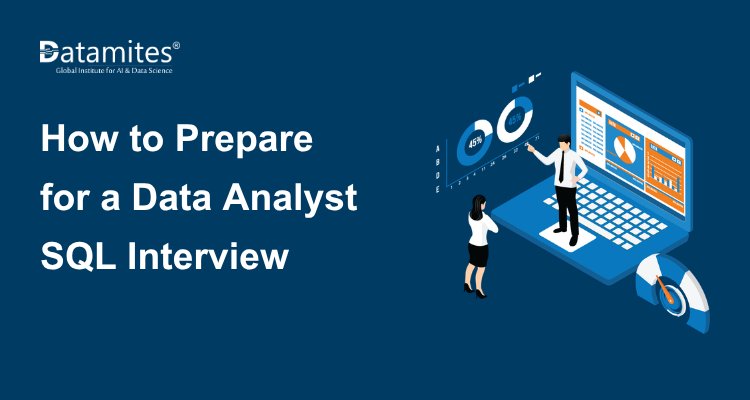
Preparing for a data analyst SQL interview requires more than memorizing commands. Employers want to know whether you can retrieve accurate data, analyze business performance, identify trends, and translate query results into actionable insights.
SQL (Structured Query Language) is one of the most important skills for data analysts because it enables them to work with structured data stored in relational databases. During interviews, candidates may be asked to write queries, troubleshoot incorrect results, analyze customer behavior, or explain the business implications of their findings.
This guide covers the essential SQL concepts, practical interview questions with solutions, real-world case studies, common mistakes, and a seven-day preparation plan to help you prepare effectively.
1. Understand the Essential SQL Topics
Before attempting advanced interview questions, build a strong foundation in SQL for Data Analytics. Interviewers often use basic concepts to evaluate your understanding of data retrieval, filtering, and aggregation.
SQL fundamentals
Start by practicing the following commands:
- SELECT: Retrieves data from one or more columns.
- WHERE: Filters rows based on specified conditions.
- ORDER BY: Sorts query results.
- DISTINCT: Returns unique combinations of selected values.
- LIMIT: Restricts the number of returned rows in databases that support this syntax.
- CASE: Applies conditional logic within a query.
For example, suppose you have an orders table containing order IDs, customer IDs, order dates, and order amounts. You want to find orders worth more than 1,000.
sql
SELECT
order_id,
customer_id,
order_amount
FROM orders
WHERE order_amount > 1000
ORDER BY order_amount DESC;
This query filters orders based on their amount and displays the highest-value orders first.
- Interview tip: Be prepared to explain how filtering differs from sorting and why filtering data early can make a query easier to understand.
Aggregate functions
Aggregate functions summarize multiple rows into meaningful metrics.
| Function | Purpose |
| COUNT() | Counts rows or non-NULL values, depending on the expression |
| SUM() | Calculates a total |
| AVG() | Calculates an average |
| MIN() | Returns the minimum value |
| MAX() | Returns the maximum value |
For example, calculate total revenue and average order value:
sql
SELECT
SUM(order_amount) AS total_revenue,
AVG(order_amount) AS average_order_value,
COUNT(*) AS total_orders
FROM orders;
One important distinction is that COUNT(*) counts rows, while COUNT(column_name) counts only rows where that column is not NULL.
SQL joins
Joins combine related information from multiple tables. They are especially important in data analyst interviews because business questions often require data from different sources.
- INNER JOIN: Returns rows with matching keys in both tables.
- LEFT JOIN: Returns every row from the left table and matching rows from the right table.
- RIGHT JOIN: Returns every row from the right table and matching rows from the left table.
- FULL OUTER JOIN: Returns matching and nonmatching rows from both tables, where supported.
- Self join: Joins a table to itself.
Consider two tables: customers and orders.
sql
SELECT
c.customer_id,
c.customer_name,
o.order_id,
o.order_amount
FROM customers c
LEFT JOIN orders o
ON c.customer_id = o.customer_id;
This query includes customers who have placed orders as well as customers who have never ordered. Customers without orders will have NULL values in the order columns.
- Common interview trap: A LEFT JOIN can effectively behave like an inner join if you filter the right-hand table in the WHERE clause. Always consider whether unmatched rows must be retained.
GROUP BY and HAVING
GROUP BY combines rows into groups so that aggregate functions can summarize them. HAVING filters the resulting groups.
For example, find customers who have placed at least three orders:
sql
SELECT
customer_id,
COUNT(*) AS order_count
FROM orders
GROUP BY customer_id
HAVING COUNT(*) >= 3;
Remember the distinction:
WHERE filters individual rows before grouping.
HAVING filters groups after aggregation.
Subqueries and common table expressions
Subqueries allow you to use one query inside another. Common table expressions (CTEs), introduced using WITH, make complex queries easier to read and maintain.
For example, identify orders above the average order amount:
sql
SELECT
order_id,
customer_id,
order_amount
FROM orders
WHERE order_amount > (
SELECT AVG(order_amount)
FROM orders
);
The inner query calculates the average order amount, and the outer query returns orders above that value.
A CTE can make a more complex analysis easier to follow:
sql
WITH customer_sales AS (
SELECT
customer_id,
SUM(order_amount) AS total_spend
FROM orders
GROUP BY customer_id
)
SELECT
customer_id,
total_spend
FROM customer_sales
WHERE total_spend > 5000;
Window functions
Window functions are particularly valuable for analytical SQL tasks because they calculate results across related rows without collapsing them into a single row per group and learn SQL for analysis.
Learn these functions:
- ROW_NUMBER(): Assigns a unique sequential number within a window.
- RANK(): Assigns ranks while leaving gaps after ties.
- DENSE_RANK(): Assigns ranks without gaps after ties.
- LAG(): Retrieves a value from a preceding row.
- LEAD(): Retrieves a value from a following row.
- SUM() OVER(): Calculates running totals or totals across a window.
For example, rank employees by salary within each department:
sql
SELECT
employee_id,
department_id,
salary,
RANK() OVER (
PARTITION BY department_id
ORDER BY salary DESC
) AS salary_rank
FROM employees;
The PARTITION BY clause creates separate ranking groups for each department, while ORDER BY determines the ranking within each group.
NULL handling and conditional logic
NULL represents missing or unknown information. It should not be treated as an ordinary value.
Use IS NULL and IS NOT NULL to check for missing values. Use COALESCE() when you intentionally want to replace NULL with a fallback value.
sql
SELECT
customer_id,
COALESCE(phone_number, 'Not provided') AS phone_number
FROM customers;
You can use CASE to categorize records:
sql
SELECT
order_id,
order_amount,
CASE
WHEN order_amount >= 5000 THEN 'High value'
WHEN order_amount >= 1000 THEN 'Medium value'
ELSE 'Low value'
END AS order_category
FROM orders;
Be prepared to explain how missing values affect calculations, comparisons, joins, and business reporting.
Refer to the articles below:
- How to Build an End-to-End Sales Data Analysis Project
- What Is the CRISP-DM Process and Is It Still Useful for Data Analysts
- Correlation vs Causation: What Data Analysts Need to Know
2. Practice Common SQL Interview Questions With Solutions
Regular query-writing practice for Data Analytics Interview Questions helps you develop speed and accuracy. Start with basic questions before progressing to multi-table analysis and window functions.
Question 1: Calculate revenue by product category
Suppose a sales table contains product_category and sales_amount. Calculate total revenue for each category and sort the categories from highest to lowest revenue.
sql
SELECT
product_category,
SUM(sales_amount) AS total_revenue
FROM sales
GROUP BY product_category
ORDER BY total_revenue DESC;
Explanation:
GROUP BY creates one group per product category.
SUM() calculates revenue within each group.
ORDER BY places the highest-revenue categories first.
- Business application: This analysis can help a business understand which product categories contribute most to its sales.
Before interpreting the results, verify whether sales_amount represents gross sales, net sales, or another metric. The definition of revenue must match the business question.
Question 2: Find the second-highest salary
Suppose an employees table contains employee_id, employee_name, and salary. Find the second-highest distinct salary.
sql
WITH ranked_salaries AS (
SELECT
salary,
DENSE_RANK() OVER (
ORDER BY salary DESC
) AS salary_rank
FROM employees
WHERE salary IS NOT NULL
)
SELECT DISTINCT salary
FROM ranked_salaries
WHERE salary_rank = 2;
Explanation:
- DENSE_RANK() ranks distinct salary values in descending order.
- Filtering for rank 2 returns the second-highest distinct salary.
- DISTINCT prevents the same salary from appearing multiple times.
If multiple employees earn the second-highest salary, this query returns that salary once. If the interviewer asks for the employees who earn it, retain the employee columns and filter on salary_rank = 2.
If every employee has the same salary, there is no second-highest distinct salary, so the query returns no rows.
Question 3: Identify customers who have never placed an order
Use the customers and orders tables to find customers without any matching orders.
sql
SELECT
c.customer_id,
c.customer_name
FROM customers c
LEFT JOIN orders o
ON c.customer_id = o.customer_id
WHERE o.order_id IS NULL;
Explanation:
- The left join preserves all customers. Customers without matching orders have NULL in the order columns, allowing the WHERE clause to identify them.
- This is an example of an anti-join pattern, which is useful for finding missing relationships between datasets.
Question 4: Calculate month-over-month revenue growth
Assume a sales table contains sale_date and sales_amount. First calculate revenue by month, then compare each month with the preceding month.
The following example uses PostgreSQL syntax:
sql
WITH monthly_revenue AS (
SELECT
DATE_TRUNC('month', sale_date) AS month,
SUM(sales_amount) AS revenue
FROM sales
GROUP BY DATE_TRUNC('month', sale_date)
),
revenue_comparison AS (
SELECT
month,
revenue,
LAG(revenue) OVER (
ORDER BY month
) AS previous_month_revenue
FROM monthly_revenue
)
SELECT
month,
revenue,
previous_month_revenue,
CASE
WHEN previous_month_revenue IS NULL
OR previous_month_revenue = 0
THEN NULL
ELSE ROUND(
100.0 * (revenue - previous_month_revenue)
/ previous_month_revenue,
2
)
END AS growth_percentage
FROM revenue_comparison
ORDER BY month;
Explanation:
- The first CTE aggregates sales by month.
- LAG() retrieves the revenue from the previous row in chronological order.
The final query calculates the percentage change.
The formula is:
Growth percentage = ((Current revenue − Previous revenue) / Previous revenue) × 100.
A zero or missing previous-month value requires special handling because the growth percentage is undefined or unavailable.
This query compares each month with the previous month present in the aggregated results. If a month has no sales records, it will not automatically appear as a zero-revenue month. For a complete monthly trend, generate a calendar of months and join the sales results to it.
Question 5: Find duplicate records
Suppose each customer should have a unique email address. Identify email addresses that occur more than once.
sql
SELECT
email,
COUNT(*) AS occurrence_count
FROM customers
WHERE email IS NOT NULL
GROUP BY email
HAVING COUNT(*) > 1;
Explanation:
- GROUP BY email groups records with the same email address.
- COUNT(*) counts records in each group.
- HAVING COUNT(*) > 1 returns groups containing duplicates.
This query assumes that duplicate emails should be evaluated exactly as stored. If email comparisons should ignore capitalization or surrounding spaces, normalize the values first according to the business rules.
Finding duplicate values is not always the same as finding duplicate records. An interviewer may expect you to clarify which fields define a duplicate.
3. Solve Real-World SQL Case Studies
Interviewers often present business scenarios rather than asking candidates to recall SQL syntax. They want to see how you translate a business problem into a reliable analytical query.
Sales analysis
- Business question: Which products generated the highest revenue?
Identify the relevant Sales Analytics on Business Decisions and product tables, confirm how revenue is defined, join the tables using the appropriate product key, and aggregate sales by product.
Consider additional questions:
- How has revenue changed month over month?
- Which categories contribute most to overall sales?
- Are returns or cancelled orders included?
- Does the dataset contain duplicate transactions?
Customer analysis
Business question: Who are the most valuable customers by doing Customer analysis with AI?
Calculate total customer spend, order frequency, and the date of the most recent purchase.
These metrics can support customer segmentation and help identify high-value customers. However, the definition of customer value should match the business objective rather than relying on total spending alone.
Retention analysis
- Business question: Which customers have not purchased recently?
Compare each customer's most recent order date with a specified reference date or reporting period.
A useful query may calculate each customer's last order date using MAX(order_date) and then filter customers according to a clearly defined inactivity threshold.
For example, a business might classify customers with no purchase in the last 90 days as inactive. The threshold should be chosen based on the purchasing cycle and the purpose of the analysis.
Marketing analysis
- Business question: Which marketing campaign has the highest conversion rate?
A common calculation is:
- Conversion rate = (Number of conversions / Number of eligible opportunities) × 100.
Use campaign and conversion data to calculate the numerator and denominator. Be careful about counting unique users versus events, defining the attribution window, and avoiding duplicate conversions.
A campaign with the highest conversion rate may not necessarily produce the highest revenue or profit, so explain the metric's limitations.
Employee analysis
- Business question: Who is the highest-paid employee in each department?
Use a window function such as RANK() or DENSE_RANK() partitioned by department. Clarify whether the business needs one employee or every employee tied for the highest salary.
Across all these scenarios, follow a consistent problem-solving approach:
- Clarify the business question and metric definitions.
- Identify the required tables, columns, and join keys.
- Determine the expected output granularity.
- Write the query in logical stages.
- Validate row counts, NULL values, duplicates, and edge cases.
- Explain the results in business terms.
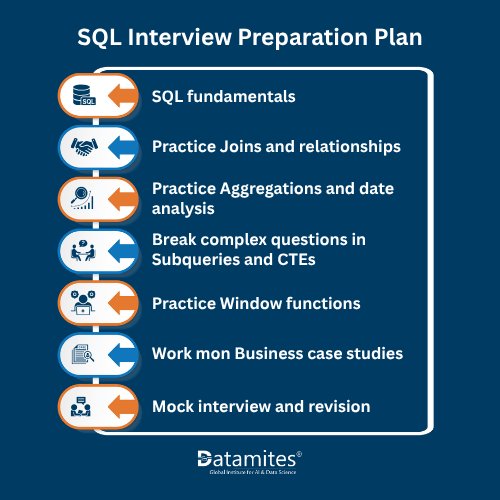
4. Follow a Seven-Day SQL Interview Preparation Plan
A structured study plan helps you review important concepts and measure your progress.
Day 1: SQL fundamentals
Practice SELECT, WHERE, ORDER BY, DISTINCT, LIMIT, and CASE.
Goal: Solve 10 basic filtering and sorting questions without relying on a solution.
Day 2: Joins and relationships
Practice inner joins, left joins, multi-table joins, and anti-join patterns.
Goal: Solve five problems involving two or more tables and explain how the joins affect the number of rows.
Day 3: Aggregations and date analysis
Practice COUNT(), SUM(), AVG(), GROUP BY, and HAVING. Work with daily and monthly reporting questions.
Goal: Complete five aggregation problems and validate the output against simple manual calculations.
Day 4: Subqueries and CTEs
Break complex questions into manageable steps using subqueries and CTEs.
Goal: Solve three multi-step questions, such as finding customers whose spending exceeds the average.
Day 5: Window functions
Practice ROW_NUMBER(), RANK(), DENSE_RANK(), LAG(), and running totals.
Goal: Solve ranking and trend-analysis questions and explain the difference between ranking functions.
Day 6: Business case studies
Work on sales performance, customer retention, marketing conversion, and employee salary analysis.
Goal: Solve two case studies from start to finish, including the business explanation and edge-case checks.
Day 7: Mock interview and revision
Complete a timed practice session covering fundamentals, joins, aggregation, and advanced SQL.
Goal: Review every mistake, identify recurring weaknesses, and practice explaining your approach aloud.
Adjust the plan to your existing knowledge and available study time. Beginners may need more than a week to become comfortable with complex analytical queries.
Refer to the articles below:
- Mastering Data Analytics in India
- What would be the Data Analyst Course Fee in India
- How to Become a Data Analyst in India
5. Common SQL Interview Mistakes to Avoid
Even candidates with strong SQL knowledge can produce incorrect results when they overlook data quality or query logic.
Using incorrect join keys
Joining on the wrong columns can create missing matches or unexpected duplicate rows. Verify the relationship between tables before writing the query.
Ignoring duplicate records
A join can multiply rows when the joined table contains multiple matches for a key. Check whether the relationship is one-to-one, one-to-many, or many-to-many.
Confusing WHERE and HAVING
Use WHERE to filter individual rows and HAVING to filter aggregated groups.
Mishandling NULL values
Comparisons such as column = NULL do not work as ordinary equality comparisons. Use IS NULL or IS NOT NULL, and consider how missing values affect calculations.
Forgetting ties in ranking questions
If the interviewer asks for the second-highest salary, clarify whether they mean the second-highest distinct salary or the employee in second position after sorting.
Choose DENSE_RANK(), RANK(), or ROW_NUMBER() according to the intended result.
Overlooking date boundaries
When filtering timestamps by day or month, consider the time component and the applicable time zone. Half-open intervals, such as date >= start_date AND date < next_period_start, can help avoid boundary errors.
Optimizing queries too early
Correctness comes first. After validating the output, discuss performance improvements such as appropriate indexes, reducing unnecessary columns, and reviewing query execution plans.
The most efficient solution is not useful if it calculates the wrong metric.
6. How to Explain Your SQL Solution During an Interview
Writing a correct query is only part of the interview. You should also communicate your reasoning.
For each question:
Step 1: Clarify the requirement. Ask about definitions, duplicates, NULL values, date ranges, and whether ties should be included.
Step 2: Describe the approach. Explain which tables you need and how you intend to join, filter, group, or rank the records.
Step 3: Write the query. Use meaningful aliases and readable formatting.
Step 4: Validate the output. Consider edge cases and whether the result matches the expected granularity.
Step 5: Explain the business meaning. Describe what the result tells the business and any limitations in the analysis.
For example, after calculating monthly revenue, do not stop at showing the SQL. Explain whether revenue increased or decreased, which periods require further investigation, and what additional data would help explain the trend.
WITH product_revenue AS (
SELECT
product_category,
product_id,
SUM(sales_amount) AS total_revenue
FROM sales
GROUP BY
product_category,
product_id
),
ranked_products AS (
SELECT
product_category,
product_id,
total_revenue,
DENSE_RANK() OVER (
PARTITION BY product_category
ORDER BY total_revenue DESC
) AS revenue_rank
FROM product_revenue
)
SELECT
product_category,
product_id,
total_revenue,
revenue_rank
FROM ranked_products
WHERE revenue_rank <= 3
ORDER BY
product_category,
revenue_rank,
product_id;
For hands-on practice, use a SQL environment with sample customer, order, employee, and sales tables. Practicing in the same SQL dialect as the target role is particularly useful because date functions, limiting rows, and other syntax can vary between databases.
Refer to the articles below:
- What Is Data Anonymization and Why Is It Important for Data Privacy
- Evolving Data Careers: Data Analysts vs. Data Scientists
- All About Big Data Analytics
Preparing for a data analyst SQL interview requires technical knowledge, consistent practice, and analytical thinking. Focus on SQL fundamentals, joins, aggregate functions, CTEs, window functions, and NULL handling. Practice real-world interview questions, validate queries, and explain your logic clearly. A structured preparation plan helps identify knowledge gaps and build confidence. Prioritize solving business problems over memorizing SQL syntax to demonstrate practical analytical skills.
DataMites Institute provides career-focused training programs in Data Science, Artificial Intelligence, Machine Learning, and Data Analytics. Professionals and aspiring analysts can explore the Data Analyst Course in Coimbatore to develop practical analytical skills through an industry-oriented curriculum. The institute offers hands-on projects, internship opportunities, and placement assistance to support career growth. With certifications associated with IABAC and NASSCOM FutureSkills, DataMites provides flexible online and classroom learning options to suit different educational needs.
In addition to its presence in Coimbatore, DataMites Mumbai operates across major Indian cities, including Bangalore, Pune, Chennai, Coimbatore, Kolkata, and Chandigarh. Its training network offers learners opportunities to develop industry-relevant skills through accessible online and classroom programs.