 4.9 (24,799) reviews
Instructor Led Live Online
Self Learning + Live Mentoring
Customize Your Training
MODULE 1: DATA SCIENCE ESSENTIALS
• Introduction to Data Science
• Evolution of Data Science
• Big Data Vs Data Science
• Data Science Terminologies
• Data Science vs AI/Machine Learning
• Data Science vs Analytics
MODULE 2: DATA SCIENCE DEMO
• Business Requirement: Use Case
• Data Preparation
• Machine learning Model building
• Prediction with ML model
• Delivering Business Value.
MODULE 3: ANALYTICS CLASSIFICATION
• Types of Analytics
• Descriptive Analytics
• Diagnostic Analytics
• Predictive Analytics
• Prescriptive Analytics
• EDA and insight gathering demo in Tableau
MODULE 4: DATA SCIENCE AND RELATED FIELDS
• Introduction to AI
• Introduction to Computer Vision
• Introduction to Natural Language Processing
• Introduction to Reinforcement Learning
• Introduction to GAN
• Introduction to Generative Passive Models
MODULE 5: DATA SCIENCE ROLES & WORKFLOW
• Data Science Project workflow
• Roles: Data Engineer, Data Scientist, ML Engineer and MLOps Engineer
• Data Science Project stages.
MODULE 6: MACHINE LEARNING INTRODUCTION
• What Is ML? ML Vs AI
• ML Workflow, Popular ML Algorithms
• Clustering, Classification And Regression
• Supervised Vs Unsupervised
MODULE 7: DATA SCIENCE INDUSTRY APPLICATIONS
• Data Science in Finance and Banking
• Data Science in Retail
• Data Science in Health Care
• Data Science in Logistics and Supply Chain
• Data Science in Technology Industry
• Data Science in Manufacturing
• Data Science in Agriculture
MODULE 1: PYTHON BASICS
• Introduction of python
• Installation of Python and IDE
• Python Variables
• Python basic data types
• Number & Booleans, strings
• Arithmetic Operators
• Comparison Operators
• Assignment Operators
MODULE 2: PYTHON CONTROL STATEMENTS
• IF Conditional statement
• IF-ELSE
• NESTED IF
• Python Loops basics
• WHILE Statement
• FOR statements
• BREAK and CONTINUE statements
MODULE 3: PYTHON DATA STRUCTURES
• Basic data structure in python
• Basics of List
• List: Object, methods
• Tuple: Object, methods
• Sets: Object, methods
• Dictionary: Object, methods
MODULE 4: PYTHON FUNCTIONS
• Functions basics
• Function Parameter passing
• Lambda functions
• Map, reduce, filter functions
MODULE 1: OVERVIEW OF STATISTICS
• Introduction to Statistics
• Descriptive And Inferential Statistics
• Basic Terms Of Statistics
• Types Of Data
MODULE 2: HARNESSING DATA
• Random Sampling
• Sampling With Replacement And Without Replacement
• Cochran's Minimum Sample Size
• Types of Sampling
• Simple Random Sampling
• Stratified Random Sampling
• Cluster Random Sampling
• Systematic Random Sampling
• Multi stage Sampling
• Sampling Error
• Methods Of Collecting Data
MODULE 3: EXPLORATORY DATA ANALYSIS
• Exploratory Data Analysis Introduction
• Measures Of Central Tendencies: Mean,Median And Mode
• Measures Of Central Tendencies: Range, Variance And Standard Deviation
• Data Distribution Plot: Histogram
• Normal Distribution & Properties
• Z Value / Standard Value
• Empirical Rule and Outliers
• Central Limit Theorem
• Normality Testing
• Skewness & Kurtosis
• Measures Of Distance: Euclidean, Manhattan And Minkowski Distance
• Covariance & Correlation
MODULE 4: HYPOTHESIS TESTING
• Hypothesis Testing Introduction
• P- Value, Critical Region
• Types of Hypothesis Testing
• Hypothesis Testing Errors : Type I And Type II
• Two Sample Independent T-test
• Two Sample Relation T-test
• One Way Anova Test
• Application of Hypothesis testing
MODULE 1: MACHINE LEARNING INTRODUCTION
• What Is ML? ML Vs AI
• Clustering, Classification And Regression
• Supervised Vs Unsupervised
MODULE 2: PYTHON NUMPY PACKAGE
• Introduction to Numpy Package
• Array as Data Structure
• Core Numpy functions
• Matrix Operations, Broadcasting in Arrays
MODULE 3: PYTHON PANDAS PACKAGE
• Introduction to Pandas package
• Series in Pandas
• Data Frame in Pandas
• File Reading in Pandas
• Data munging with Pandas
MODULE 4: VISUALIZATION WITH PYTHON - Matplotlib
• Visualization Packages (Matplotlib)
• Components Of A Plot, Sub-Plots
• Basic Plots: Line, Bar, Pie, Scatter
MODULE 5: PYTHON VISUALIZATION PACKAGE - SEABORN
• Seaborn: Basic Plot
• Advanced Python Data Visualizations
MODULE 6: ML ALGO: LINEAR REGRESSSION
• Introduction to Linear Regression
• How it works: Regression and Best Fit Line
• Modeling and Evaluation in Python
MODULE 7: ML ALGO: LOGISTIC REGRESSION
• Introduction to Logistic Regression
• How it works: Classification & Sigmoid Curve
• Modeling and Evaluation in Python
MODULE 8: ML ALGO: K MEANS CLUSTERING
• Understanding Clustering (Unsupervised)
• K Means Algorithm
• How it works : K Means theory
• Modeling in Python
MODULE 9: ML ALGO: KNN
• Introduction to KNN
• How It Works: Nearest Neighbor Concept
• Modeling and Evaluation in Python
MODULE 1: FEATURE ENGINEERING
• Introduction to Feature Engineering
• Feature Engineering Techniques: Encoding, Scaling, Data Transformation
• Handling Missing values, handling outliers
• Creation of Pipeline
• Use case for feature engineering
MODULE 2: ML ALGO: SUPPORT VECTOR MACHINE (SVM)
• Introduction to SVM
• How It Works: SVM Concept, Kernel Trick
• Modeling and Evaluation of SVM in Python
MODULE 3: PRINCIPAL COMPONENT ANALYSIS (PCA)
• Building Blocks Of PCA
• How it works: Finding Principal Components
• Modeling PCA in Python
MODULE 4: ML ALGO: DECISION TREE
• Introduction to Decision Tree & Random Forest
• How it works
• Modeling and Evaluation in Python
MODULE 5: ENSEMBLE TECHNIQUES - BAGGING
• Introduction to Ensemble technique
• Bagging and How it works
• Modeling and Evaluation in Python
MODULE 6: ML ALGO: NAÏVE BAYES
• Introduction to Naive Bayes
• How it works: Bayes' Theorem
• Naive Bayes For Text Classification
• Modeling and Evaluation in Python
MODULE 7: GRADIENT BOOSTING, XGBOOST
• Introduction to Boosting and XGBoost
• How it works?
• Modeling and Evaluation of in Python
MODULE 1: TIME SERIES FORECASTING - ARIMA
• What is Time Series?
• Trend, Seasonality, cyclical and random
• Stationarity of Time Series
• Autoregressive Model (AR)
• Moving Average Model (MA)
• ARIMA Model
• Autocorrelation and AIC
• Time Series Analysis in Python
MODULE 2: SENTIMENT ANALYSIS
• Introduction to Sentiment Analysis
• NLTK Package
• Case study: Sentiment Analysis on Movie Reviews
MODULE 3: REGULAR EXPRESSIONS WITH PYTHON
• Regex Introduction
• Regex codes
• Text extraction with Python Regex
MODULE 4: ML MODEL DEPLOYMENT WITH FLASK
• Introduction to Flask
• URL and App routing
• Flask application – ML Model deployment
MODULE 5: ADVANCED DATA ANALYSIS WITH MS EXCEL
• MS Excel core Functions
• Advanced Functions (VLOOKUP, INDIRECT..)
• Linear Regression with EXCEL
• Data Table
• Goal Seek Analysis
• Pivot Table
• Solving Data Equation with EXCEL
MODULE 6: AWS CLOUD FOR DATA SCIENCE
• Introduction of cloud
• Difference between GCC, Azure, AWS
• AWS Service ( EC2 instance)
MODULE 7: AZURE FOR DATA SCIENCE
• Introduction to AZURE ML studio
• Data Pipeline
• ML modeling with Azure
MODULE 8: INTRODUCTION TO DEEP LEARNING
• Introduction to Artificial Neural Network, Architecture
• Artificial Neural Network in Python
• Introduction to Convolutional Neural Network, Architecture
• Convolutional Neural Network in Python
MODULE 1: DATABASE INTRODUCTION
• DATABASE Overview
• Key concepts of database management
• Relational Database Management System
• CRUD operations
MODULE 2: SQL BASICS
• Introduction to Databases
• Introduction to SQL
• SQL Commands
• MY SQL workbench installation
MODULE 3: DATA TYPES AND CONSTRAINTS
• Numeric, Character, date time data type
• Primary key, Foreign key, Not null
• Unique, Check, default, Auto increment
MODULE 4: DATABASES AND TABLES (MySQL)
• Create database
• Delete database
• Show and use databases
• Create table, Rename table
• Delete table, Delete table records
• Create new table from existing data types
• Insert into, Update records
• Alter table
MODULE 5: SQL JOINS
• Inner Join, Outer Join
• Left Join, Right Join
• Self Join, Cross join
• Windows function: Over, Partition, Rank
MODULE 6: SQL COMMANDS AND CLAUSES
• Select, Select distinct
• Aliases, Where clause
• Relational operators, Logical
• Between, Order by, In
• Like, Limit, null/not null, group by
• Having, Sub queries
MODULE 7 : DOCUMENT DB/NO-SQL DB
• Introduction of Document DB
• Document DB vs SQL DB
• Popular Document DBs
• MongoDB basics
• Data format and Key methods
MODULE 1: GIT INTRODUCTION
• Purpose of Version Control
• Popular Version control tools
• Git Distribution Version Control
• Terminologies
• Git Workflow
• Git Architecture
MODULE 2: GIT REPOSITORY and GitHub
• Git Repo Introduction
• Create New Repo with Init command
• Git Essentials: Copy & User Setup
• Mastering Git and GitHub
MODULE 3: COMMITS, PULL, FETCH AND PUSH
• Code Commits
• Pull, Fetch and Conflicts resolution
• Pushing to Remote Repo
MODULE 4: TAGGING, BRANCHING AND MERGING
• Organize code with branches
• Checkout branch
• Merge branches
• Editing Commits
• Commit command Amend flag
• Git reset and revert
MODULE 5: GIT WITH GITHUB AND BITBUCKET
• Creating GitHub Account
• Local and Remote Repo
• Collaborating with other developers
MODULE 1: BIG DATA INTRODUCTION
• Big Data Overview
• Five Vs of Big Data
• What is Big Data and Hadoop
• Introduction to Hadoop
• Components of Hadoop Ecosystem
• Big Data Analytics Introduction
MODULE 2 : HDFS AND MAP REDUCE
• HDFS – Big Data Storage
• Distributed Processing with Map Reduce
• Mapping and reducing stages concepts
• Key Terms: Output Format, Partitioners,
• Combiners, Shuffle, and Sort
MODULE 3: PYSPARK FOUNDATION
• PySpark Introduction
• Spark Configuration
• Resilient distributed datasets (RDD)
• Working with RDDs in PySpark
• Aggregating Data with Pair RDDs
MODULE 4: SPARK SQL and HADOOP HIVE
• Introducing Spark SQL
• Spark SQL vs Hadoop Hive
MODULE 1: TABLEAU FUNDAMENTALS
• Introduction to Business Intelligence & Introduction to Tableau
• Interface Tour, Data visualization: Pie chart, Column chart, Bar chart.
• Bar chart, Tree Map, Line Chart
• Area chart, Combination Charts, Map
• Dashboards creation, Quick Filters
• Create Table Calculations
• Create Calculated Fields
• Create Custom Hierarchies
MODULE 2: POWER-BI BASICS
• Power BI Introduction
• Basics Visualizations
• Dashboard Creation
• Basic Data Cleaning
• Basic DAX FUNCTION
MODULE 3 : DATA TRANSFORMATION TECHNIQUES
• Exploring Query Editor
• Data Cleansing and Manipulation:
• Creating Our Initial Project File
• Connecting to Our Data Source
• Editing Rows
• Changing Data Types
• Replacing Values
MODULE 4: CONNECTING TO VARIOUS DATA SOURCES
• Connecting to a CSV File
• Connecting to a Webpage
• Extracting Characters
• Splitting and Merging Columns
• Creating Conditional Columns
• Creating Columns from Examples
• Create Data Model
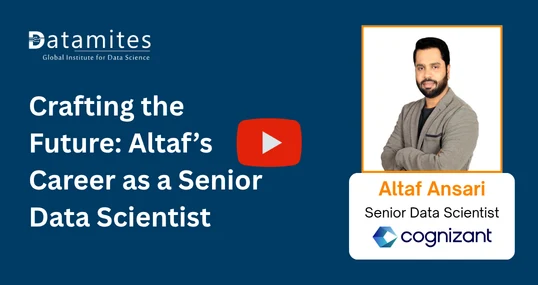
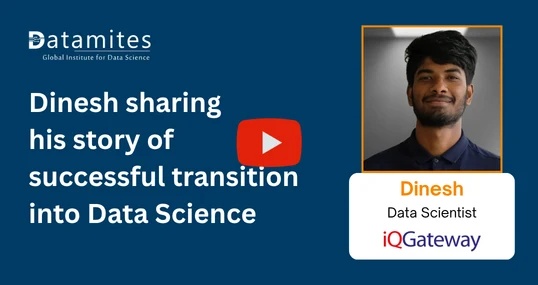
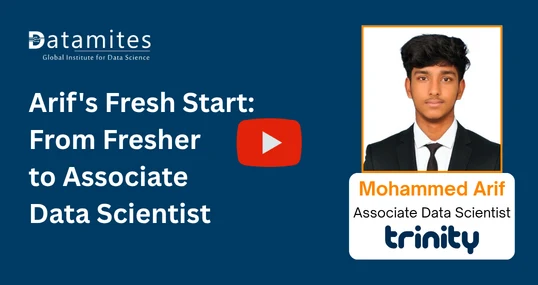
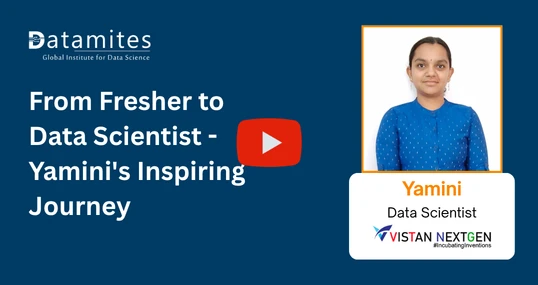
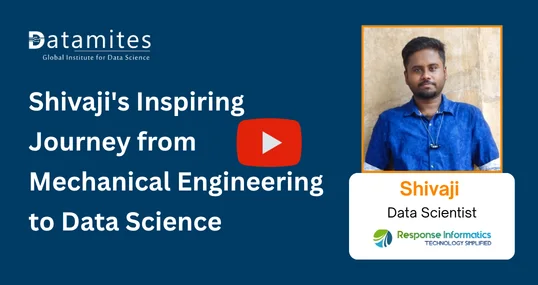
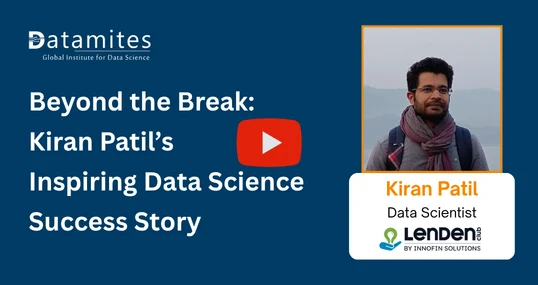
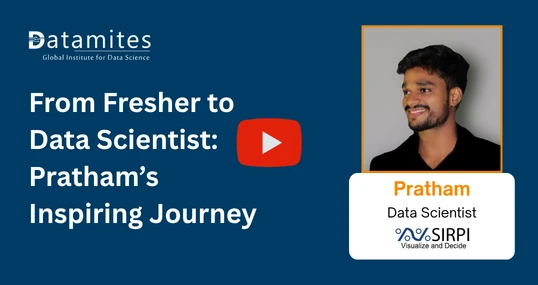
AI is the future, and DataMites helped me step into it! The online Data Science course was easy to follow, and the tutors explained everything clearly. Even after completing my course, the team supported me with placements and I successfully cracked a job! Grateful to DataMites for shaping my career.
I joined DataMites to learn Data Science and gained strong skills in ML, DL, and Statistics. Through my internship at Rubixe AI Solutions, I worked on real-world projects, which helped me land job interviews and an offer. The trainers were very supportive and explained every concept clearly. Thanks to DataMites, my data science journey was smooth and successful.
My mentor, a DataMites alumnus, suggested I join the Data Science course, and it was one of my best decisions! The offline classes were interactive and full of guidance, and I got the chance to intern at Rubixe AI Solutions. The placement team was very supportive and helped me perfect my resume. Truly thankful to DataMites for this amazing learning journey.
I joined DataMites after completing my engineering in Computer Science and became a Certified Data Scientist. With their support, I completed an internship at Rubix AI Solutions and now work as an AI intern at Inventor Hub. DataMites made learning statistics and data science easy with clear guidance and great materials. I’m truly thankful for their support.
I joined DataMites for the Certified Data Scientist online course, and it was a great experience! The real-time projects helped me apply my learning practically, and the placement support added real value to my career restart after 8 years. DataMites is the perfect platform to learn, grow, and begin your data science journey.
I joined DataMites for the Data Science course and learned Python, SQL, Machine Learning, and Deep Learning through hands-on projects. The trainers are excellent at explaining concepts clearly. The placement team is very supportive and provides great opportunities thanks to DataMites for helping me start my data science journey.
I joined DataMites after my B.Tech when I developed an interest in Data Science and Machine Learning. The training was well-structured, and I even got an internship opportunity that helped me gain real experience. The placement team was super supportive and guided me through every step. Thanks to DataMites, I’m now placed at Horizon Broadband Pvt. Ltd.
I joined DataMites after completing my BCA, and it was the best decision for my data science career! I learned Python, SQL, Machine Learning, Deep Learning, and NLP, and worked on several capstone and client projects that gave me real-world experience. The trainers and team were always friendly and supportive, patiently clearing all my doubts. Thanks to DataMites, I’m confident and job-ready in data science
I started my data science journey with DataMites, and it’s been an amazing experience! The Certified Data Scientist Program helped me learn everything from scratch through hands-on projects and an internship. The placement team was incredibly supportive, always ready to clarify my doubts. Thanks to their guidance, I successfully got placed. Highly recommend DataMites to anyone starting their data science career
Enrolling at DataMites was one of the best decisions I made for my career. Coming from a freelance writing background with no prior technical experience, I was initially unsure about stepping into the field of data analytics. But DataMites made the transition smooth and achievable. I’d highly recommend them to anyone looking for a guided, industry-ready data analytics course. A true DataMites success story!
Data Science helps Toronto businesses use customer, financial, operational, and market data to make informed decisions and improve efficiency. It also supports career opportunities across finance, technology, professional services, retail, and other data-intensive sectors.
Most Data Science courses in Toronto require basic computer knowledge, mathematics or statistics fundamentals, and a willingness to learn programming. A degree in a technical or quantitative field can be helpful, but many beginner-friendly courses accept learners from diverse academic backgrounds.
A Data Scientist course generally covers Python, SQL, statistics, data preprocessing, exploratory data analysis, machine learning, data visualization, and model evaluation. Advanced programs may also include deep learning, NLP, and practical projects.
The duration of a Data Science course in Toronto varies by curriculum and learning format. A structured certification program may take around 4–12 months, while shorter online courses can be completed in a few weeks or months.
A Data Science certification course in Toronto generally costs around CAD 3,000–6,500, depending on the course duration, curriculum, certification, projects, and training format. The exact fee varies across programs, so learners should compare the course content and learning hours before enrolling.
Start by learning statistics, Python, SQL, data analysis, and machine learning, followed by practical projects using real datasets. Build a portfolio, earn a relevant certification, strengthen your problem-solving skills, and apply for suitable Data Science roles.
The average Data Scientist salary in Toronto is approximately CAD 102,265 per year, according to Indeed, based on 233 reported salaries updated in July 2026. Actual pay varies with experience, specialization, employer, and seniority.
Toronto has Data Science opportunities across professional services, finance, insurance, technology, retail, and information-related sectors. Government labour-market data identifies professional, scientific and technical services and finance as major sectors employing Data Scientists.
Data Scientist
Machine Learning Engineer
Data Analyst
Data Engineer
Business Intelligence Analyst
Toronto has a large concentration of Data Science professionals, particularly in professional services, finance, technology, and retail. The Toronto region has approximately 14,950 people working as Data Scientists, according to Canada’s Job Bank.
Yes, online Data Science courses are available for learners in Toronto and can cover programming, statistics, machine learning, visualization, and practical projects. An online course can also allow learners to study at a flexible pace alongside work or education.
Key skills include Python, SQL, statistics, probability, data visualization, machine learning, data cleaning, and exploratory data analysis. Strong analytical thinking, problem-solving, communication, and business understanding are equally valuable.
Common challenges include learning programming and statistics together, understanding machine learning concepts, working with messy datasets, and gaining practical experience. Building projects consistently and strengthening fundamentals can help overcome these difficulties.
Artificial Intelligence can automate tasks such as data preparation, coding assistance, and model development, but Data Scientists still provide problem formulation, statistical reasoning, validation, domain knowledge, and business interpretation. The role is more likely to evolve toward higher-value analytical and decision-making work.
Major sectors include professional, scientific and technical services, finance and insurance, information and technology-related industries, and retail. Canada’s Job Bank reports that these sectors account for substantial shares of Data Scientist employment in the Toronto region.
Python, SQL, machine learning, statistics, data visualization, cloud technologies, and data engineering are valuable skills for Toronto roles. Communication and the ability to translate analytical findings into business decisions are also important.
Beginners should start with Python, SQL, Jupyter Notebook, NumPy, Pandas, and visualization tools such as Matplotlib or Power BI. After building these foundations, they can progress to machine learning libraries such as Scikit-learn and TensorFlow.
Yes. Professionals from business, finance, marketing, healthcare, and other fields can learn Data Science by starting with programming, statistics, and data analysis fundamentals and progressing gradually toward machine learning.
Prior programming experience is helpful but not always required for a Data Science course. Beginners can start with Python fundamentals and gradually develop the programming skills needed for data analysis, machine learning, and automation.
DataMites offers an industry-aligned Data Science Course in Toronto with Live Online and Blended Learning options, hands-on learning, real-time projects, and globally recognized certifications. The program covers core Data Science concepts, machine learning, analytics, and practical applications.
DataMites instructors and mentors bring relevant industry expertise in Data Science, Analytics, and related technologies. The DataMites program also features experienced industry professionals with substantial practical experience in the field.
The Data Science Course Fee in Toronto is C$ 3,050 for Live Virtual (Instructor-Led Live Online) and C$ 2,130 for Blended Learning (Self Learning + Live Mentoring). These are the standard fees specified for the course.
The DataMites Certified Data Scientist Course is structured as an 8-month program with around 700 learning hours, including structured learning and practical exposure.
The Data Science curriculum covers modern AI concepts and technologies as part of its broader Data Science and machine learning learning path. For specific Generative AI and Agentic AI modules, learners should refer to the latest course curriculum.
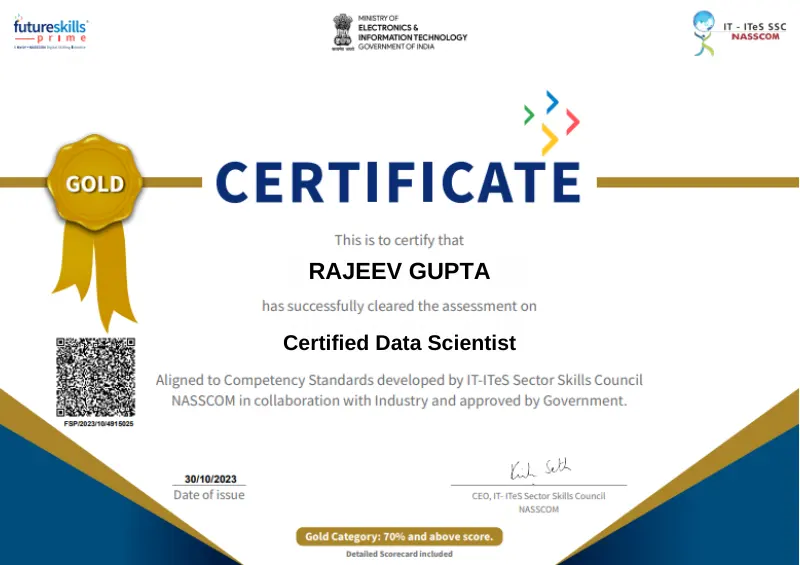
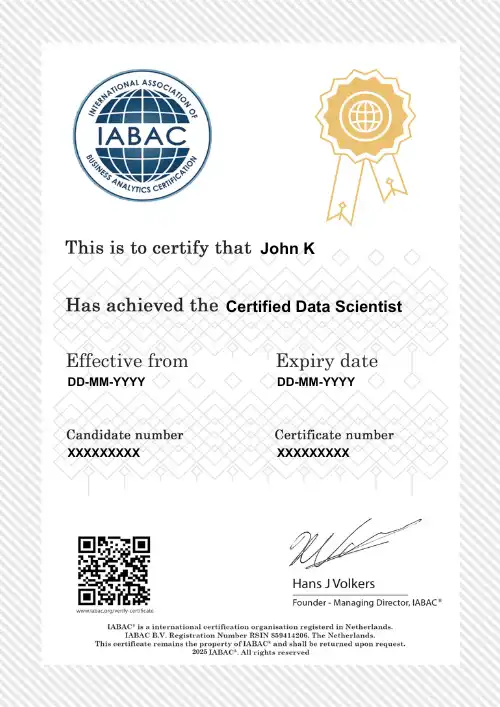
DataMites offers an IABAC Globally Accredited Certification, DataMites Certificate, and NASSCOM FutureSkills Certification for eligible NRI learners upon meeting the applicable requirements.
You can register for the Online Data Science Course in Toronto through the DataMites website by selecting the course and preferred learning mode, completing the registration details, and following the payment instructions.
DataMites offers Live Virtual (Instructor-Led Live Online) and Blended Learning (Self Learning + Live Mentoring) formats for learners in Toronto. Both options provide structured access to Data Science learning resources.
Yes. The Data Science Training in Toronto includes practical learning through real-time projects, allowing learners to apply concepts to realistic datasets and business scenarios.
The curriculum covers tools and technologies such as Python, NumPy, Pandas, Scikit-learn, TensorFlow, SQL, MongoDB, Hadoop, PySpark, Tableau, Power BI, Git, GitHub, Google Colab, and more.
For the Online Data Science Course in Toronto, online learning materials are available for up to one year, depending on the selected learning mode and course package.
DataMites provides online payment options, overseas payment options, and installment/EMI facilities where available. Learners can confirm the applicable payment plan during registration.
Yes. Online sessions are recorded and shared with learners, allowing them to review missed classes and continue their learning at their convenience.
DataMites provides internship opportunities as part of eligible Data Science training programs, offering practical exposure through real-world projects and guided learning.
The Flexi Pass allows learners to attend sessions of their selected course for a defined period, helping them revise concepts and attend additional batches. The current DataMites course information specifies a 3-month Flexi Pass period for applicable programs.
DataMites follows its official cancellation and refund policy, with eligibility and refund amounts depending on when the cancellation is requested and whether training has started. Refer to the official DataMites refund policy for the latest applicable terms.
The DataMites Placement Assistance Team(PAT) facilitates the aspirants in taking all the necessary steps in starting their career in Data Science. Some of the services provided by PAT are: -
The DataMites Placement Assistance Team(PAT) conducts sessions on career mentoring for the aspirants with a view of helping them realize the purpose they have to serve when they step into the corporate world. The students are guided by industry experts about the various possibilities in the Data Science career, this will help the aspirants to draw a clear picture of the career options available. Also, they will be made knowledgeable about the various obstacles they are likely to face as a fresher in the field, and how they can tackle.
No, PAT does not promise a job, but it helps the aspirants to build the required potential needed in landing a career. The aspirants can capitalize on the acquired skills, in the long run, to a successful career in Data Science.
 Refer & Earn
 +1-628-228-6062